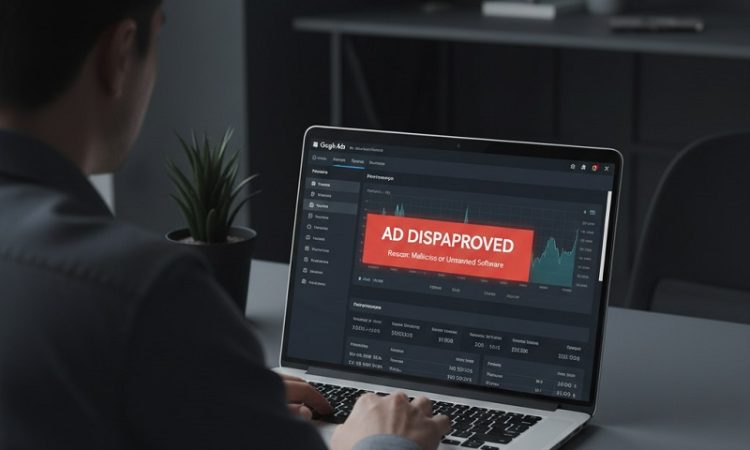
Few notifications disrupt a paid acquisition strategy faster than an ad status shifting abruptly to disapproved under Google’s “Restricted Businesses” or “Other Restricted Businesses” policy. For media buyers and business owners alike, the automated notice is notoriously opaque. It rarely pinpoints the exact offending sentence or page element, leaving marketing teams scrambling to decipher whether their account is facing a routine keyword friction point or an existential compliance audit.
This policy umbrella exists primarily to protect consumers from fraud, predatory practices, and high-risk service schemes. However, Google’s automated crawlers cast a wide net. Legitimate companies frequently get caught in the dragnet simply because their service taxonomy or landing page terminology mirrors high-risk commercial categories. Resolving these disapprovals requires looking beyond generic appeal buttons, understanding algorithmic triggers, and systematically establishing corporate legitimacy in the eyes of Google’s review systems.
Understanding the Scope of the Restricted Businesses Policy
Google categorizes business restrictions across a broad spectrum ranging from outright prohibitions to conditional approvals contingent on third-party certification. At one extreme are verticals Google has effectively barred from its standard ad ecosystem to prevent consumer exploitation, such as bail bond services and remote consumer tech support. At the other extreme are legitimate industries subjected to heavy verification protocols before an impression can even enter the auction.
The categories most frequently ensnared by these restrictions include:
-
Consumer Technical Support: Third-party providers offering troubleshooting, password resets, virus removal, and device repairs are strictly prohibited from advertising direct-to-consumer services due to historical abuse by offshore phone scammers.
-
Local Service Trades: Locksmiths, garage door repair contractors, and certain emergency trades must complete advanced verification to prove physical residency and trade licensing, filtering out lead-generation arbitrage rings.
-
Government Documents and Official Services: Private companies assisting with passport renewals, driver’s licenses, transit cards, or business registrations face strict operational curbs and must prove non-deceptive disclosures.
-
Financial and Legal Assistance: Debt settlement, credit repair, cryptocurrency custody, and claims aggregation require state or federal licensing disclosures alongside specialized financial verifications.
-
Addiction Treatment and Healthcare: Rehabilitation facilities, telehealth clinics, and prescription delivery platforms operate under tight regulatory scrutiny, often requiring specialized third-party vetting.
Understanding where your product or service sits on this spectrum determines your remediation path. If your core business model falls into a prohibited category, ad copy adjustments will not save the campaign. If you operate legally in a regulated or adjacent space, the disapproval is usually an administrative hurdle caused by a lack of verification credentials or semantic confusion.
Why Legitimate Advertisers Trigger Automated Flags
Most account managers assume that an ad disapproval stems from a flagrant policy violation. In practice, the majority of restricted business flags on legitimate accounts are automated false positives triggered by syntactic patterns in ad creative and destination URLs.
Semantic Ambiguity in Ad Copy
Machine-learning review algorithms rely on keyword pattern matching to flag risky behavior before human reviewers ever see the ad. If your company provides enterprise IT managed services (MSP) but uses broad phrases like “computer help line,” “instant remote support,” or “virus removal service” in your headlines, the system assumes you are an unauthorized consumer tech support operation. Similarly, an immigration law firm using copy like “obtain green card fast” can trip the wire for deceptive government document services.
Landing Page Deficiencies and Missing Disclosures
Google evaluates the entire destination experience, including sub-links, footer disclosures, and outbound domain connections. A landing page that collects user data without a direct, easily accessible privacy policy will trigger suspicion. For businesses offering paid services that consumers could theoretically acquire for free or lower cost through public civic agencies, failing to place a prominent, above-the-fold disclaimer stating that the site is a private, non-governmental entity will generate immediate restricted business flags.
Entity and Identity Inconsistencies
Google has increasingly aligned ad approvals with broader business authentication. Disapprovals frequently compound when an account exhibits identity discrepancies. If the legal entity named in your Google Ads billing profile differs from the corporate registry details on your website, or if your domains use privacy-masked WHOIS records paired with virtual office addresses, your risk score climbs. Google’s algorithms interpret administrative inconsistencies as evasive behavior.
Systematic Protocols to Resolve Disapprovals
Fixing a restricted business disapproval requires methodical investigation rather than submitting frantic appeals. Appealing repeatedly without addressing underlying signals can escalate an asset-level disapproval into a full account suspension for circumventing systems.
Audit Landing Pages for High-Risk Lexicon
Begin by scrutinizing your landing page and ad copy for vocabulary traditionally linked to banned models. Remove urgent, hyperbolic phrases such as “guaranteed clearance,” “24/7 official line,” or generic software troubleshooting jargon. Ensure that B2B service providers explicitly clarify their commercial audience. Changing phrasing from “Get Tech Support Now” to “Enterprise IT Management for Mid-Market Firms” immediately signals to algorithmic scanners that the business does not cater to vulnerable retail consumers.
Add Explicit Disclaimers and Operational Transparency
Legitimacy in digital advertising requires over-communicating who you are. Every page receiving traffic must contain:
-
A prominent header or upper-fold disclosure outlining the nature of your business and fee structures if you provide facilitation or consulting services.
-
A footer featuring your legal business name, physical street address (avoiding generic PO boxes), phone number, and links to Terms of Service and Privacy Policies.
-
Clear distinctions separating your business from any platform, software vendor, or government department you might interact with or support.
Complete Required Certifications and Verifications
Many restricted verticals run unimpeded once the advertiser completes Google’s structured verification tiers:
-
Advertiser Identity Verification (AIV): Ensure your account completes the identity check using official documentation that matches your tax records and business registrations down to the exact letter.
-
Business Operations Verification (BOV): If requested, be prepared to submit distributor agreements, brand authorization letters, commercial utility bills, and explanatory workflows detailing your supply chain or service delivery models.
-
Vertical-Specific Approvals: For local trades like locksmiths, submit the required documentation through Advanced Verification. Healthcare organizations must secure appropriate credentials from approved independent credentialing bodies like LegitScript before attempting to run treatment ads.
Submit a Structured Appeal with Documentation
When you are confident that your ad copy, landing pages, and business credentials align with policy requirements, initiate the appeal process through the Google Ads Policy Manager.
If you made structural adjustments to your copy or landing page disclosures, select the option indicating that changes were made to comply with policy. If you believe your business was flagged entirely in error due to semantic confusion (such as an enterprise B2B company flagged as consumer support), choose to dispute the decision. Accompany your appeal with clear, objective documentation: state your exact business classification, explain who your customers are, detail your licensing credentials, and point directly to the clarifying disclosures present on your site.
Long-Term Campaign Hygiene for High-Scrutiny Verticals
Once your ads regain active status, maintain disciplined campaign governance. Avoid publishing sprawling batches of untested ad variations simultaneously, as a single poorly phrased asset can re-trigger algorithmic flags across the entire ad group.
Utilize robust negative keyword lists to prevent your ads from appearing on search queries that imply banned intent. For instance, an authorized corporate software reseller should aggressively exclude retail-oriented queries like “free keygen,” “customer service telephone number,” or “login bypass.” Controlling the exact query environment protects your conversion rates while insulating your account from subsequent policy reviews, keeping your advertising engine stable and scalable over the long haul.